skip to main content

What

  • Website Design
  • Carrd Microsites
  • Squarespace Business Sites
  • MEDICAL PRACTICE Sites
  • Custom Webflow Sites

How

  • Clear Communication
  • Upfront Pricing
  • Software integrations

Why

  • About VeryCleverDesign
  • Perspective
MENU
CONTACT

DESIGNING YOUR PRACTICE WEBSITE

A Guide for Small Private Medical Practices

Caduceus, symbol of medical profession.

All-in-one EHR platforms position themselves as a one stop solution that handles your patient intake, communication, EHR, billing etc in one website. This convenience comes at a cost and locks you in with one vendor. Before you make a long term commitment, understand some website fundamentals and consider your alternatives.

Last Updated April 10,2026

CONTENTS

Your online presence serves your practice (and your patients) in 4 ways:

  • Get Found Where Patients Are Looking
  • Look Good By Prioritizing Patient Needs
  • Save Time with Automated Processes
  • Stay Relevant WITH TIMELY CONTENT

Once you've understood those aspects and your website scope you are ready to choose the right partner for your website project. Some websites don't require much work after setup and you will be fine working with an independent designer/developer like me. At the other extreme, practices that are actively marketing themselves will benefit from working with an agency that will provide a turnkey launch with ongoing marketing support like copywriting, publicity, and ad buying.

  • HOW TO FIND THE RIGHT pROVIDER

Some websites don't require much work after setup and you will be fine working with an independent designer/developer like myself. At the other extreme, practices that are actively marketing themselves can benefit from working with an agency that will provide a turnkey launch and provide marketing support like copywriting, publicity, and ad buying.

If you make it to the end there's a free website checklist. That's free with no strings attached, as in no email or contact info required.

White outline illustration of a stethoscope on a black background.

Why listen to me?

‍I've been building websites for small medical practices and other local businesses for 12 years, helping them attract clients and streamline their operations. As a parent of a college freshman who's relocated multiple times across the US, Canada, and Asia, I understand firsthand what new patients look for when navigating unfamiliar healthcare systems.

UNDERSTAND YOUR WEBSITE'S PURPOSE

Get Found
Where Your Patients Are Looking

YOUR PATIENTS' DIGITAL JOURNEY

Before a patient walks into your exam room, they've researched you online in one or two places: their insurance website and Google. In my experience, most patients searching for a new provider prioritize the specialty they need followed by proximity to their home or workplace for convenience.
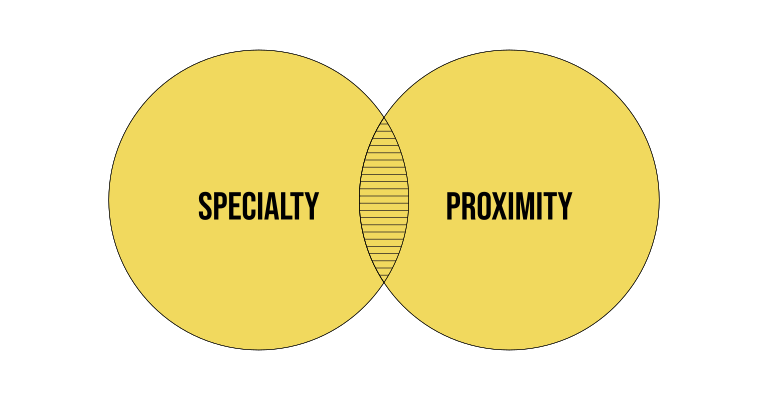
Venn diagram of specialty and proximity.
VENN DIAGRAM SHOWING INTERSECTION OF SPECIALY AND PROXIMITY

INSURANCE DIRECTORIES

If their needs are covered by insurance, their first impression of your practice will come from your listing on their insurance company's provider directory. After filtering by specialty, your placement will be determined by your standing within their insurance network and a rough metric of geographic proximity like distance.

Clicking on the listing will open a page with additional information about your credentials and where you see patients. If you are a new practitioner in the area there's strong chance that this information is inaccurate.

GOOGLE

Patients without insurance, or who want more information about a doctor, search with Google. Google Ads provides tools with insights into keywords and their associated search volume within a city, Nielsen Designated Market Area for larger regions, or state. What I've seen is that provider specialty and proximity drive the majority of searches followed by specific conditions and procedures.

In 2026, a Google Search starts with three sponsored listings (ads) followed by:

  1. Businesses: the top three local listings show up with summary descriptions and links beside a map followed by the same three,
  2. Videos
  3. Commonly asked questions (People Ask)
  4. More listings including summaries from Yelp or other local directories and Reddit. Seeing these usually requires scrolling in desktop context.

Showing up above the fold (before a scroll is needed) is highly dependent on your SEO (Search Engine Optimization) relative to your competitors.

WEBSITE ROLE

Provide accurate patient-centered information. Unless Google is your sole source of new patients don't stress about being in the top three in a specialty search. Most people already know your name from a referral or their insurance and will include that in their search query.

Owning the information that gets to the insurance companies is the first step to making sure it's accurate. Third party brokers scrape the internet and sell the information linked to your name to the insurance directories. Who better to manage that information than you?.

Owning the information also gives you the freedom to quickly move out of any directory that feels like it's holding your practice hostage in exchange for visibility.

Good internal SEO is important for structuring your website in a way that correctly prioritizes the right information. That's different than external SEO which focuses on your search ranking. This is a moving target influenced by many technical and behavioral factors. Don't get caught up in quick hacks, changes can take 3–6 months to affect rankings. Most local searches are nowhere close to the magnitude of search volume in competitive areas like consumer products or trades like plumbing. Focus on providing accurate patient-centered information.

LOOK GOOD

With Core Features
That Address Patient Priorities

YOUR WEBSITE SHOULD

ANSWER
QUESTIONS

that determine if you're the right provider.

BUILD
TRUST

and reduce anxiety about the upcoming visit.

SET
EXPECTATIONS

about the patient experience.

PREPARE
PATIENTS

for their appointment.

Practical Concerns First

Your website content should expand on the limited 120-character summary description a patient sees on Google which typically focuses on your specialty and location.

Your job is to immediately answer their most pressing questions. At minimum, I recommend every medical practice website include the following:

Practice Overview

Concise description of your specialty and approach.

Provider Profiles

Photos, bios, and credentials of physicians. Photos and titles of key staff.

Services / Treatments

Clear descriptions using both medical and layman terms.

Location Information

Address, parking instructions, and directions.

Contact Details

Provide several contact methods but prioritize the preferred method with a clear call-to-action.

Downloadable Forms

Intake and consent forms in accessible formats.

Insurance Information

Accepted plans and payment policies.

Testimonials

A curated selection of patient reviews (4–6 is sufficient).

Your final implementation cost will depend on the platform, the scope of the project, whether you can do the whole job yourself, and who you hire. Your choices will also affect what you pay year over year.

A good place to start is a DIY solution — here's what to expect for website and domain hosting.

WEBSITE HOSTING COST

Hosting costs for a basic website with the features described above start at $16/month or $192/year with DIY platforms like Squarespace and Wix, or even less with some WordPress providers.

  • Squarespace Pricing
  • Wix Plans
  • Bluehost (WP) Pricing
  • WP Engine Plans
  • Hostinger (WP) Pricing

domain name hosting COST

Hosting and managing your website domain name with an ICANN-accredited domain name registrar starts around $15/year, though many providers offer first-year discounts.
  • Squarespace Domains
  • GoDaddy Domain Pricing
  • Network Solutions
  • Namecheap
  • Porkbun Domains
  • Hover Domains
Black and white cartoon-style sign reading 'Psychiatric Help 5¢' on top and 'The Doctor is IN' below with 'IN' inside a square.

DIFFERENTIATE YOUR PRACTICE FROM YOUR COMPETITORS

I'll be honest, I deliberately downplay design as a core concern for medical practices, because outside of cosmetic specialties, design is simply not top of mind for most patients seeking a physician.

In a competitive market, the primary role of design is to differentiate your practice website from your competitors and keep you top of mind.

I always start by reviewing competitor sites:

  1. Look at competitors within a reasonable distance from your potential patients.
  2. Choose a mixture of peers and more established practice sizes.
  3. Identify common elements across these sites (these are baseline expectations).
  4. Find 1-2 visual elements that make them stand out.
  5. Identify how they express their practice philosophy.

Differentiation should reflect authentic practice attributes, not an arbitrary design preference. Styles come and go and there's always the danger of chasing the shiny new thing.

After looking at your competitors, reflect on what separates your practice from them: in philosophy, approach, or patient experience.
‍

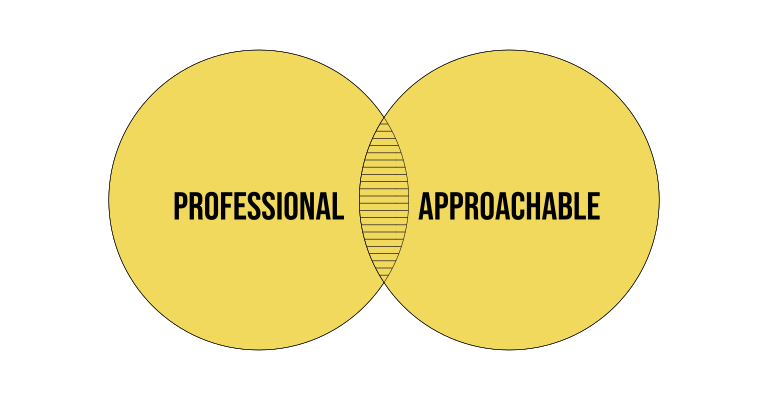
Venn diagram of professional and approachable.
VENN DIAGRAM SHOWING INTERSECTION OF PROFESSIONAL AND APPROACHABLE

BE SUBTLE

When everyone has Dr. Google on their phone, your visual identity has to subtly balance professional authority with approachability. A patient needs to feel comfortable enough to initiate the consultation that will tell them whether you're the right fit.

As a professional, you don't bring your whole self to work, but there are subtle signals that communicate where you fit in the broader spectrum of practice types.

Color

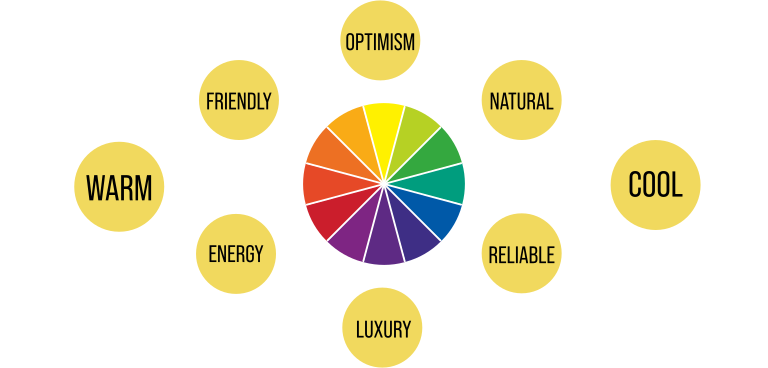
CColors in your website, office environment, or clothing have cultural connotations with gender, temperature, and nature. The key is not to follow stereotypes but to find colors that are not claimed by competitors and are aligned with how you want your practice to be perceived.
  • ‍Webflow Article On Color Meanings
A color wheel with subjective assocations for diffrenet colors.
CoLOR WHEEL WITH COMMON ATTRIBUTES ASSOCIATED WITH CERTAIN COLORS

SHAPE

Shapes with rounded corners are perceived as softer to the touch than ones with hard sharp corners. Softness suggests approachability even in a purely visual context of a website's graphic style. This is similar to the bouba-kiki effect — a non-arbitrary association between certain speech sounds and shapes.

  • NY Times Article On Kiki-Bouba Effect
  • Wikipedia Article On Bouba/kiki Effect
Comparison of visually soft and hard shapes derived from their angles corner radii.
THE TACTILE ATTRIBUTES OF 2 SHAPES ASSOCIATED FURTHER

Typography

The perception of shapes in typefaces carries the association of soft or sharp at a microscopic level that's still perceptible. Often the association is contextual, with certain font styles seen as more corporate vs trendy or luxurious.

  • Book by Sarah Hyndman on Why Fonts Matter
Two examples of fonts with differenent subjectt associations of approachabilty and professionalism.
DIDOT AND VAG ROUNDED ARE TWO COMMON TYPEFACES WITH VERY DIFFERENT ASSOCIATIONS

SAMPLE WEBSITE APPROACHES

The interplay between color, shapes and typefaces in terms of spacing, as well as the actual visual and written content give you variables that can be tweaked for different emphasis while still working within the constraints of a medical practice website.

TRADITIONAL CLINICAL

Surgeon wearing surgical cap, mask, and magnifying headlamp performing a procedure in an operating room.

Clean bright and clinical conveying expertise.

RELATIONSHIP CENTERED
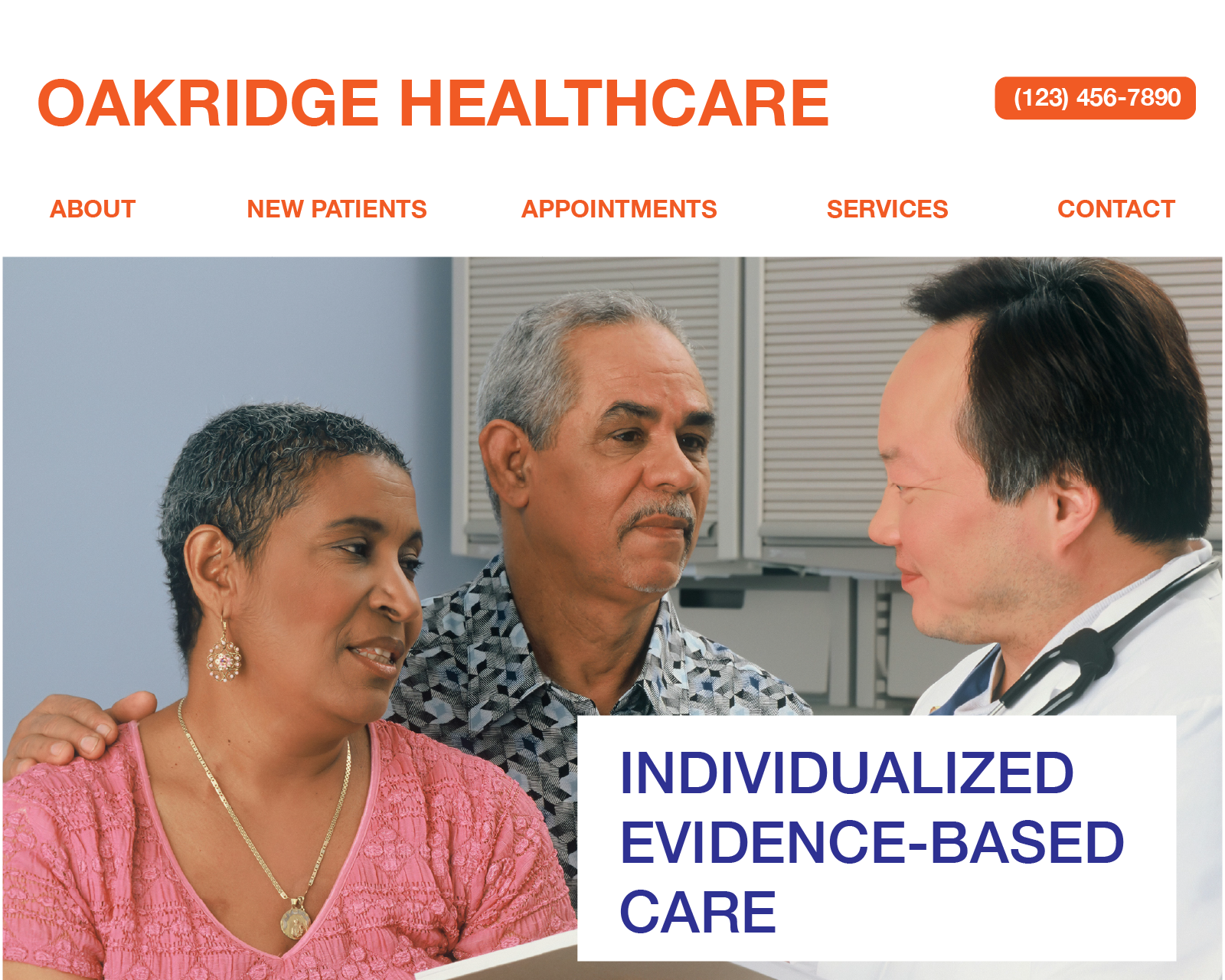
Doctor discussing individualized evidence-based care with a middle-aged couple at Oakridge Healthcare.

Warm emphasis on patient experience and care.

Integrative/Holistic
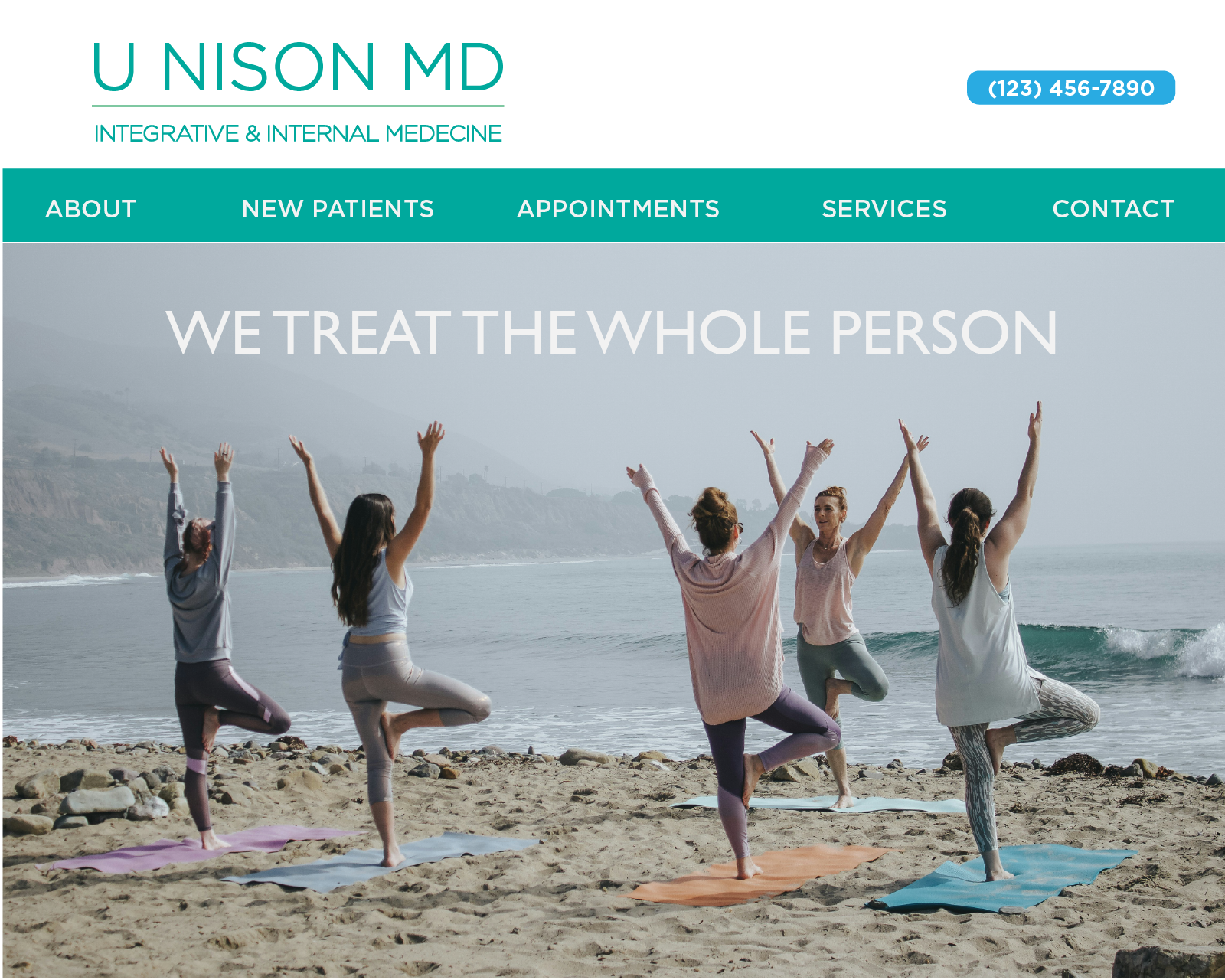
Five women practicing yoga tree pose on mats on a beach with ocean waves and hills in the background.

Natural colors, elements, and wellness images

Cosmetic/Aesthetic

Smiling woman with dark hair sitting on a beige couch, beside text reading 'Personalized excellence in women's health'.

Luxury coded colors, fonts, and satisfied patients.

WOMEN'S HEALTH

Female doctor with curly hair in white coat listening attentively to a patient in a bright office.

Feminine coded colors and design language.

PEDIATRICS

Pediatrician examining a smiling baby’s ear with an otoscope in a colorful exam room with a rainbow and sun mural.

Colors and elements child-centered images.

PRACTICAL CONSIDERATIONS

There are good reasons that small business websites gravitate towards simplicity:

  • Complex overlays that work on laptops and phones require more labor than a clean layout.
  • Illustrations take time to commission, art direct, and execute to a good level of quality.
  • Magazine-quality interiors and environmental portraiture need professional lighting setups.

This doesn't mean your website has to look like a template even if you don't spend a lot of money. An experienced designer knows how to customize a template without reinventing the wheel. There are ways to be smart about sourcing your content and streamlining the design process. Here are two tips to start you off:

Your phone can do a lot. Modern phones can take high-quality headshots against a simple background that will more than do the job.

Start with snapshots. Few people start with their final imagery, and it's good practice to take a few quick photos to rough out an idea for yourself or to give a designer a sense of your goals and what images need to be sourced.

‍

SAVE TIME

Enhanced Features
That Automate Processes

ENHANCED FEATURES (COMPREHENSIVE WEBSITE)

Automating processes that are currently done manually or on paper can be a genuine timesaver for both you and your patients. Who doesn't appreciate the convenience of scheduling, filling out intake forms, managing bills, or viewing lab results on their phone? Telehealth is a major aspect of some specialties like psychiatry and a fallback that patients of pediatricians or primary care physicians really appreciate.

PRICE FEATURES AND FUNCTIONS FIRST

These features come at a real cost. Before you choose a platform or commit to any development work, I'd encourage you to determine which functions are essential for your specific practice and price them out.

TRY BEFORE BUYING

Implementation varies significantly across platforms. Many platforms started as one specialized service and bolted on features through acquisitions of competitors. The quality of the integration is hard to evaluate from reviews or demos. Take any opportunity to test drive the platform.

THREE KEY TOUCHPOINTS

There are three major touchpoints worth automating for both you and your patients' convenience, either as independent services or in various combinations:

Scheduling

Patient self-booking capabilities. A self serve option can be an inexpensive standalone service or part of EHR patient portal.

Intake Forms

HIPAA-compliant data collection. Intake forms before an appointment which are part of an EMR/EHR suite's patient portal.

Billing

Depending on the nature of your practice, this might also involve insurance.

PATIENT CONVENIENCE

Consider these additional EHR features based on your practice needs:

Patient Portal Integration

Secure message and record access.

Telehealth IntegratioN

Video visit functionality.

2026 EHR VENDOR PRICING

Not all vendors are completely transparent about their pricing. You will have to consult with your peers, dig into online forums like Reddit, and compare quotes tailored to your practice.

Here's what to expect:

  • Implementation fees ($1,000–$5,000)
  • Monthly expenses for EHR vendors range from $100 to $700.
  • If they handle billing, their percentage ranges from 5.7% to 8.1%.
  • Credit card companies will also take a cut for payment processing.

The vendors below are grouped by their lowest published or user-reported base pricing. Keep in mind that features vary widely and are often tailored to particular specialties.

Percentage based

Athena

Percentage-based model, typically charging 7.5–9% of total collections for services like EMR and revenue cycle management.

Zocdoc

Pay-per-booking model with no upfront fees or subscription costs, charging a one-time fee per new patient booking that varies by specialty, location, and potentially additional marketing.

LOW

Simple Practice

$15/mo promotional pricing for new clients for 1 year. Free trial. Practice management software  for mental health, helping you  simplify everything from admin work to clinical care.

Jane

$54/mo with scheduling, patient communications, customizable documentation, integrated payments, and unlimited human support.

MID

DocVilla

$100/provider/mo with basic EHR, basic telemedicine, task management, scheduling, email reminders, integrated apps, and Google Calendar Sync. Limited email support.

Practice Fusion EHR

$199/provider/mo with fully integrated billing, EHR, dedicated support, labs and imaging. Free trial and demos.

HIGH

eClinicALWorks

$450/provider/mo includes EHR, mobile app, patient portal, text messaging, document management, referral management, dashboards, reporting, ePrescribing and formulary checking, and 24x7 support.

Tebra

Custom. User reported at $145–500/mo. Cost depends on factors like specialty, provider type, and claim volume.

Elation

Custom. User reported at $450/mo without billing, $700/mo with billing. EHR, billing, and practice management.

Advanced MD

Custom. User reported at $450 for software and add-ons to a flat rate of $600, and in some cases as high as $7,000 per month with additional billing services or hidden fees.

DrChrono

Custom. User reported at $1,200–$1,500/mo. Basic EHR and practice management solution designed to streamline clinical workflows and administrative tasks. Includes patient charting, scheduling, task management, and reporting.

HIPAA COMPLIANCE

Using a standard website or Google form for some patient communications is less expensive than going with a full-service vendor, but I can't stress this enough: you must maintain strict HIPAA compliance if you're collecting any patient information.

Most website builders (Squarespace, Wix, etc.) are NOT HIPAA-compliant by default. I'd strongly advise against collecting protected health information through their standard contact forms. Legal opinions on whether health information initially provided by a patient is compliant vary, and that ambiguity should give you pause.

Here are a few ways to keep your data collection HIPAA compliant:

  • Use your EMR's patient portal for all clinical information.
  • Implement a separate HIPAA-compliant form solution.
  • Provide downloadable PDF forms that patients bring to appointments.
  • Clearly separate marketing communications from clinical information.

Additional Information

  • HHS HIPAA Laws & Regulations
  • HIPAA Guide to Compliant Website

‍

MAINTAINING YOUR WEBSITE

Repairs
vs Keeping Your Site Relevant.

Your website isn't a one-and-done job. If you want it to be useful to your patients, you will need to maintain it and keep the information current.

REPAIRS ARE RARE

In 2026, broken integrations or customizations can happen but it's rarely a surprise, and seldom more than a few hours of repair work.

Software updates are included in the subscription with Squarespace, Wix, and hosted versions of WordPress. The services are proactive about flagging changes that could affect your customizations and integrations. Share the communications from your website provider with your designer to avoid surprises.

A maintenance agreement might be overkill for the occasional repair. Understand the difference between a minor repair like a broken link or a change that requires investigation of custom code.

UPDATING STALE CONTENT

Plan on handling simple, time-sensitive content updates yourself. When you're working with your designer, discuss the tradeoffs between complicated layouts and ease of editing. You should anticipate updates to:

  • Insurance
  • Office Hours
  • Staff Changes
  • Testimonials

COMMUNICATING WITH EXISTING PATIENTS

If your social media activity or new blog posts bring engaged visitors to your website it will pay off as a better search ranking.

Every common website platform has integrations that make it easy to publish from your website to different social media accounts or to feature selected posts from your accounts on your site.

The same features on specialized EHR platforms tend to cost more and do less. It's not their wheelhouse, and they're typically built for a marketing team to manage, not the practice owner.

NEWSLETTER
INTEGRATION

Regularly updated health information in a blog post pushed out to your mailing list through an integrated newsletter service like MailChimp or Constant Contact.

SOCIAL MEDIA INTEGRATION

A blog post summary can be automatically pushed out to platforms like Instagram and Facebook .

VIDEO INTEGRATION

Videos published and hosted on YouTube or Vimeo can be viewed on your site. The degree to which you can override the hosting platform's look and feel will vary.

REVIEW MANAGEMENT

Automated collection of patient feedback on Google or Yelp is possible with paid plugins or built in integrations with the major website platforms.

MARKETING TO NEW PATIENTS

If you are in a specialty with lots of turnover like pediatrics and new parents, or in a geographic area that draws in a lot of new residents, understand that new people are more receptive to advertising and marketing efforts than long-time residents. Local magazines, Google PPC ads, and social media are channels that established residents tend to tune out, but newcomers don't.

A well-designed website is often the destination for these marketing efforts, with coordinated design and impact measurement built in. This is work best done with an experienced team.

Additional Information

  • AMA Article: 4 Keys to Marketing & Branding Your Physician Private Practice

‍

BUILD WITH THE RIGHT PARTNER FOR THE JOB

Let Your Scope
Guide Who You Work With

DIY

Do it yourself is a smart approach if you have a limited budget, simple needs, and the following traits:

  • Basic computer proficiency.
  • High attention to detail.
  • Ability to write for a general audience.
  • Basic image editing skills.
  • Time to learn a new platform.

The popular DIY platforms are Squarespace, Wix, and WordPress. For a medical practice website, the features are so similar that your choice should be guided by which interface feels right to you. All of them offer free trials that will give you a chance to get a feel for the work involved before you commit.

PRO PRICING

For practices who need custom features or simply don't have the bandwidth to do it themselves, here's a realistic picture of what hiring out looks like:

Freelance designer: $3,000+ for custom site
Web design agency: $10,000+ for comprehensive site
Medical marketing firm: $20,000+ with ongoing marketing services

SELECTION CRITERIA

  • Responsiveness and communication style.
  • Portfolio of previous medical websites.
  • Understanding of healthcare regulations.
  • Maintenance and support options. (Design Agency/Marketing Firm)
  • Content creation capabilities. (Design Agency/Marketing Firm)
  • Timeline: 6-12 weeks from contract to launch.

INTEGRATION MODELS

Here are three approaches to integrating your website with clinical systems:

FULL

One Vendor

Pros: Seamless data flow, single vendor relationship.

‍Cons: Higher cost, compromise on website features, vendor lock-in.

PARTIAL

Two Vendors: Website And EHR+Billing

Pros: Best-in-class solutions for each function, flexibility.

‍Cons: Additional complexity, multiple vendor relationships.

SEPARATE

Three Vendors: Website, EHR, and Billing

Pros: Maximum flexibility, lowest direct cost.

Cons: Manual workflows, potential redundant data entry.

RESOURCES

Your website doesn’t need to be complicated or include a long-term commitment to the most expensive EHR platform. If done thoughtfully, it supports patient trust, streamlines your operations, and gives you flexibility as your practice grows. Start with clear goals, prioritize what serves your patients, and build from there.

To help you get started, download my free Patient Centered Website Content Checklist, a practical outline you can use to review or build your site with confidence.

Privacy policy / Do not sell my personal information

© Thomas Pushpathadam